Certificates anyone can verify
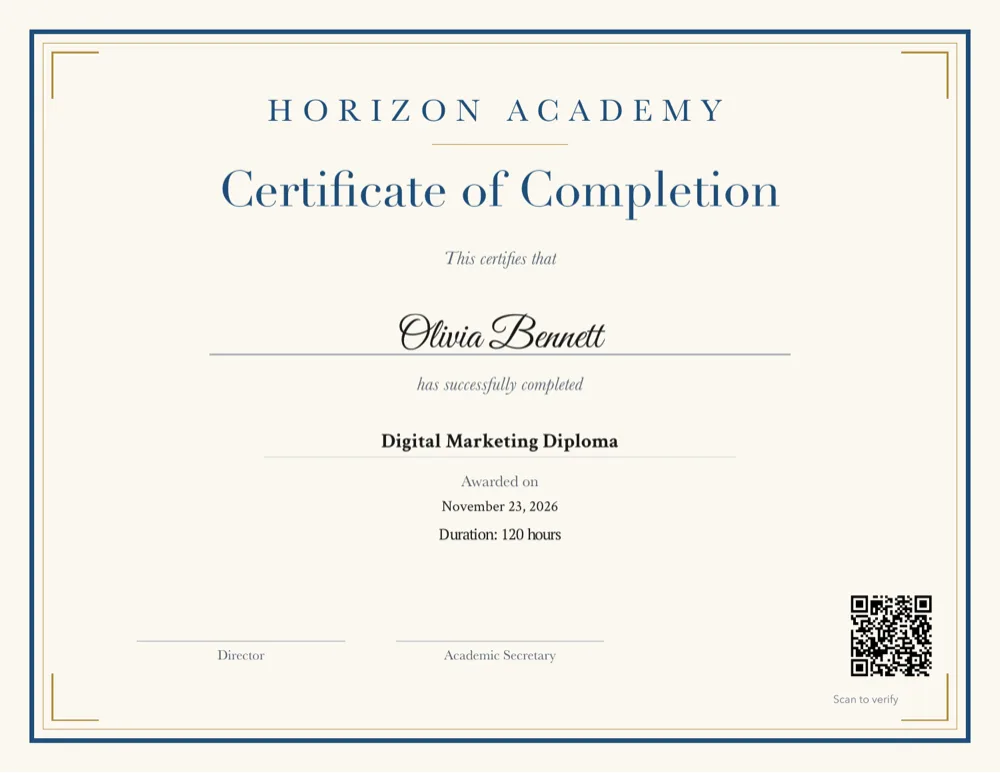
Upload your PDF design, add your students, and issue every certificate at once. Each one carries its own number and a QR code that confirms in seconds that it is authentic.
Setting everything up is free, with no card required. You pay USD 15 a month when you are ready to issue.
How it works
From your design to a verified certificate, in four steps.
-
1
Upload your design
Use the certificate you already have, as a PDF. Drag the name, program, date, number and QR code onto it, and choose the font and size.
-
2
Add your students
Add them one by one or import your list from Excel or CSV. CertFlow checks every row and shows you which one has an error before saving.
-
3
Issue in batches
Choose the template and the students, and issue. Download a ZIP with one PDF per student, or a single PDF ready to print.
-
4
Anyone can verify
Whoever receives the certificate scans the QR code and sees whether it is valid, who it was awarded to, and which institution issued it.
Everything you need to issue certificates properly
Nothing to install: it runs in the browser on your computer, tablet or phone.
Your design, not a generic template
Any PDF works as the base. You decide where each piece of data goes, in which font and size, and you preview it before issuing.
Import from Excel or CSV
Up to 5,000 students per file, checked row by row. If a student already exists, the record is updated instead of duplicated.
Your own fields
Hours, level, belt, grade: create the fields your institution needs, each with its type, and use them on the certificate.
Automatic numbering
Every certificate gets a consecutive number per year, such as 2026-0001. Numbers are never repeated or reused.
A QR code on every certificate
The QR code leads to the verification page of that certificate. Place it anywhere on your design, at any size.
Revoke and reissue
A misspelled name? Revoke the certificate with a reason, fix the data, and issue a new one. Verification reflects it instantly.
In English and Spanish
The application, the dates on the certificate and the verification page are available in both languages.
Student data stays protected
Public verification shows the student ID masked, except for its last digits, and only what is needed to confirm the certificate.
An altered certificate does not pass verification
Every certificate has a public page that tells the truth about it. Whoever receives it, an employer or another institution, needs no account and no phone call to confirm it.
- It says whether the certificate is valid or has been revoked, and why.
- It shows who it was awarded to, the program, the date and the issuer, to compare against the paper.
- Look it up with the QR code, or with the certificate number and the student ID.
Learn it in short videos
The full guide is 9 videos, from creating the account to the verified certificate. Each one has its article in the manual.
One plan, no fine print
Issue as many certificates as you need for a flat price.
USD 15 a month
per institution, with unlimited certificates
- Unlimited certificates, students and templates
- Public verification with QR code included
- Issued certificates can always be verified, even if you cancel
- Cancel anytime, from your account
- Secure card payment, processed by FastSpring
Creating the account, uploading your design and adding your students is free. You subscribe when you are ready to issue.
Frequently asked questions
Issue your first certificate today
Create your account in a minute, upload your design, and see how it looks before you pay.
Create my free account